

 Tomato sauce 300 g · New package
Packaging management platform
Portfolio, projects and approvals connected.
See the system from the inside: where each package lives, how a change request moves between the team, the agency and the supplier, and how the artwork is reviewed and approved.
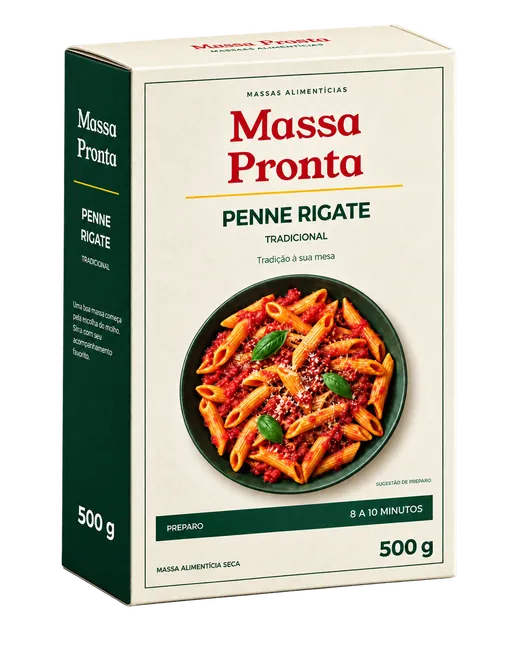
PortfolioCarton 500 g · PN-CT-500Artwork, documents, versions and sharing
Workflow 0248Preparation instructions revisionStage: Approval · Regulatory
Approval · Revision 2Marketing approvedRegulatory reviewing · R&D waiting
How it all connects
One SKU. One request. One approval. The same context.
LinkFlow organizes the portfolio by brand, product and SKU. Every creation or change request starts from a SKU, the approval starts from the request, and the history and the indicators record the whole path.
Brand›Product›SKU→Workflow→Approval
Portfolio
Brand, product and SKU. In each SKU, artwork, documents, versions and what was shared with partners.
See the portfolioWorkflows
The request goes through Brief, Agency, Approval, Supplier and Finished, with owners and a deadline.
See the workflowsApprovals
Each department records its decision in the approval cycle and the artwork is reviewed in the viewer.
See the approvalsTracking
Each project's history records who did what; the indicators dashboard shows where the process spends time.
See the indicatorsPackaging portfolio
Every package in its place, with everything that belongs to it.
The portfolio starts at the brand, goes through the product and reaches the SKU. That is where the artwork, documents, workflows, approvals and history of that package live.
3 SKUs
 PN-CT-1000 · Carton 1 kgIn development
 PN-FX-500 · Pouch 500 gIn development
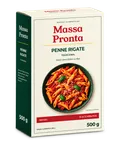
Penne Rigate Tradicional · Carton 500 g
Under changePrivatePN-CT-500
- SKU Number
- PN-CT-500
- Barcode
- 2000000000015
- LinkFlow version
- 2
- Created on
- 03/12/2026
- Launch date
- 05/20/2026
Classification
- Category
- Pasta
- Line
- Tradicional
- Division
- Food
| Name | Sharing | Modified on | Size |
|---|---|---|---|
| aiMP_PENNE_500G_ARTE_FINAL.ai | — | 09/15/2026 | 35.96MB |
| pdfMP_PENNE_500G_ARTE_FINAL_curvas.pdf | Supplier | 09/15/2026 | 22.52MB |
| rarFonts.rar | — | 09/15/2026 | 0.32MB |
| rarLinks.rar | — | 09/15/2026 | 1.05GB |
| Name | Sharing | Modified on | Size |
|---|---|---|---|
| pdfEspecificacao_Penne_500g.pdf | Agency · Supplier | 09/02/2026 | 1.82MB |
| docxBriefing_alteracao_modo_de_preparo.docx | Agency | 09/12/2026 | 0.64MB |
| docxDizeres_tecnicos_Penne_500g.docx | Agency | 09/12/2026 | 0.21MB |
| Project | Description | Type | Stage | Owner | Status |
|---|---|---|---|---|---|
| 0248 | Preparation instructions revision | Artwork change | Approval | Regulatory | In progress |
| 0193 | New Carton 500 g package | Artwork creation | Finished | Your brand | Completed |
| Revision | Cycle | Status | Decisions |
|---|---|---|---|
| Revision 2 | Packaging approval | Under approval | Marketing approved · Regulatory reviewing · R&D waiting |
| Revision 1 | Packaging approval | Rejected | Regulatory requested a change to the preparation instructions |
- 09/21/2026 14:23Marketing recorded a decision on Revision 2: approved.
- 09/21/2026 10:05Agency sent Revision 2 for approval.
- 09/15/2026 12:00Your brand added Fonts.rar to High-res artwork.
Creation and change workflows
Every request in a stage, with an owner and a deadline.
A creation or change request goes through Brief, Agency, Approval, Supplier and Finished. On the board, the team sees which stage each project is in; in the project, it gathers each department's brief, the files, the activities and the linked SKU.
Tomato sauce 300 g · New package Parmesan cheese 100 g · Label update
 Spaghetti 500 g · Label update
 Penne Rigate Carton 1 kg · New package
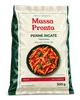 Penne Rigate Pouch 500 g · New package
Project 0248 · Request 1 · Artwork change
Preparation instructions revision
PN-CT-500 · Penne Rigate Tradicional Carton 500 g
- Brief
- Agency
- Approval
- Supplier
- Finished
Regulatory brief
RegulatoryCheck the wording of the preparation instructions and the nutrition table against current legislation.
Marketing brief
MarketingKeep the tagline “Sabor para todos os dias” and the 10 to 12 minute cooking time on the red band.
R&D brief
Packaging R&DNo structural change: 150 × 230 × 60 mm carton, die cut and crease of the current version.
Workflow files
- Brief3 files
- Agency artwork1 file
- Final artwork—
Review and approval
Each department records its decision. The artwork is reviewed in the viewer.
The approval is born from the workflow and follows the artwork revision. The cycle defines stages, approvers and the decision rule; the viewer opens the PDF in the browser with the review tools and the color separation.
- Approval cycle
- Packaging approval
- Revision
- 2
- Description
- PN-CT-500 · Penne Rigate Tradicional Carton 500 g
Notes
Agency · 09/21/2026 10:05Good afternoon! Attached is the PDF with the revised preparation instructions for validation. Let us know about any point.
Decision
- Marketing
Approved. Text matches the brief reference.

- Hand
- Rotate
- Mirror
- Fit
- Zoom
- Ruler
- Measure area
- Read barcode
- Read braille
- Read text
- Eyedropper
- Comments




All colors visible.
Indicators
Where the process spends time.
The indicators dashboard shows completion time by workflow type, average time per stage, on-time and late transitions, stalled workflows and each supplier's performance, with filters by period, unit, type and status, and data export.
WorkflowsIndicators dashboard
- 12 CompletedThis month
- 48 UpdatedThis month
- 9 CreatedThis month
- 3 OverdueThis month
Completion time by workflow typeAverage time from start to completion.
Average time per stageAverage time requests spend in each stage.
SLA per stageTransitions completed within and beyond the configured deadline.
On timeLate
Stalled workflowsStalled workflows grouped by days without events.
Approvals and rejections by supplierShare of approved and rejected requests by supplier.
ApprovedRejected
Average delivery time by supplierAverage time between the file request and the supplier's delivery.
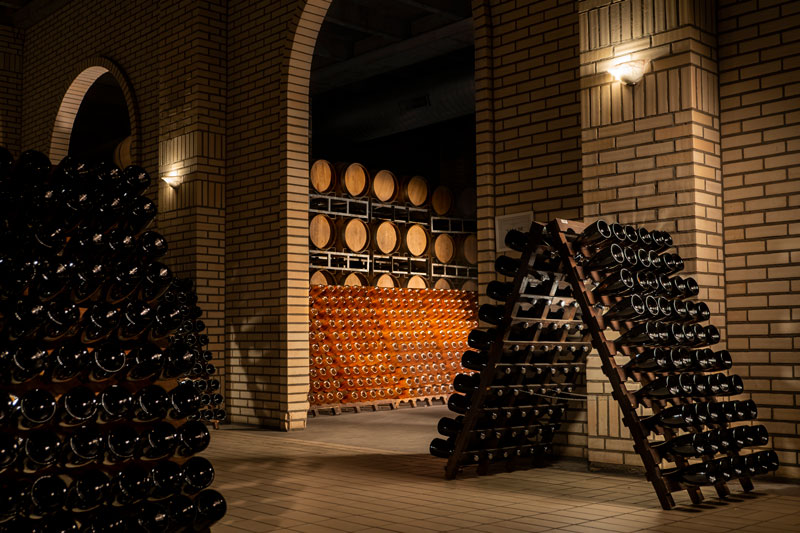
In practice, with Casa Valduga
“Today our packaging approval processes are faster, more organized and more transparent.”
Product Analyst · Casa Valduga
- 50%less time approving artwork for new packaging
- 800+SKUs and their variations
- 6companies in the group
Start with the process your team already uses.
The LinkFlow team helps assess the appropriate setup during implementation.
- Organization
- Bring together your existing portfolio and the references your team uses.
- Process and participants
- Define stages, owners and what will be shared with agencies and suppliers.
- Help with everyday use
- Consult the platform guides and contact the support team with questions.
For those evaluating.
Portfolio, workflows and approvals are part of the same platform. Usage follows the organization and the participants of your projects.
Do I need to buy all three modules?
Portfolio, workflows and approvals are part of the same LinkFlow platform. During onboarding, the team helps define where your company starts and how the modules will be used in your process.
Can I organize packaging that is already in use?
Yes. Register brands, products and SKUs and gather the files and references of the existing packaging. The next creations and changes can run from that organization.
How do agencies and suppliers take part?
Partners work with the projects and materials shared with them. Your organization defines the participants and the access according to the work each one does.
What do the indicators show?
Completion time by workflow type, average time per stage, on-time and late transitions, stalled workflows, approvals and rejections by supplier and average delivery time by supplier. Filters narrow the analysis and the data can be exported.
How do I assess security, access and support?
See the access controls, multifactor authentication, HTTPS connections and support on the Security and infrastructure page. Our team can discuss your company's requirements.
See LinkFlow in the context of your operation.
Talk to our team about your portfolio and your approval process.