

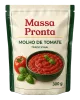
 Tomato sauce 300 g · New package
Workflow management
Every project with a clear next step.
Record the creation or change request, gather the briefs and the files and follow each project through the five stages, with an owner and a deadline in each one.
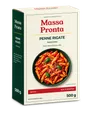
Project 0248 · Artwork changePreparation instructions revisionPN-CT-500 · Penne Rigate Tradicional Carton 500 g
Under approvalHow a workflow moves
From request to final artwork, five stages with an owner and a deadline.
BriefInternal team
The request is opened in the workflow type's form, with the Regulatory, Marketing and R&D briefs and the references.
AgencyAgency
Receives the request and the briefs, develops the artwork and delivers it in the Agency artwork folder.
ApprovalApproving departments
Each department records its decision on the submitted revision; the artwork is reviewed in the viewer.
SupplierSupplier
Receives the approved final artwork and the production files in the Final artwork folder.
FinishedAll
The project is closed with the final artwork filed in the SKU and the complete history.
Configurable stages and workflows
Each workflow type with its stages, owners and deadlines.
Creation, change and other request types follow different paths. For each workflow type, your company defines the stages, who is responsible for each one and the deadline of each stage. The board, the list and the indicators follow that configuration.
Workflow types
Configuration exampleStages, owners and deadlines by type
Artwork creation
- BriefMarketing3 days
- AgencyAgency10 days
- ApprovalRegulatory, Marketing and R&D5 days
- SupplierSupplier7 days
- Finished
Artwork change
- BriefMarketing2 days
- AgencyAgency5 days
- ApprovalRegulatory and Marketing3 days
- SupplierSupplier5 days
- Finished
Supplier qualification
- BriefQuality3 days
- SupplierSupplier10 days
- ApprovalQuality and R&D5 days
- Finished
Each workflow type has its form, its stages and its owners. The deadlines of each stage feed the deadline control and the SLA.
Tracking
All projects on one screen: board by stage or table.
On the board, each column is a stage and each card a project, with time in the stage, status and owner. In the list, the same projects in a custom table, with the columns your team needs. Filters by workflow type and by assignment narrow the view in both.
- Board
Tomato sauce 300 g · New package Parmesan cheese 100 g · Label update
 Spaghetti 500 g · Label update
 Penne Rigate Carton 500 g · Preparation instructions revision
 Penne Rigate Carton 1 kg · New package
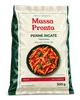 Penne Rigate Pouch 500 g · New package
| Project | SKU | Type | Stage | Owner | Deadline | Status |
|---|---|---|---|---|---|---|
| 0252 | Tomato sauce 300 gPN-MT-300 | Artwork creation | Brief | Marketing | 11/20/2026 | In brief |
| 0250 | Parmesan cheese 100 gPN-QP-100 | Artwork change | Brief | Regulatory | 11/05/2026 | In brief |
| 0249 | Spaghetti 500 gPN-ES-500 | Artwork change | Agency | Agency | 10/28/2026 | With the agency |
| 0248 | Penne Rigate Carton 500 gPN-CT-500 | Artwork change | Approval | Regulatory | 10/30/2026 | Under approval |
| 0241 | Penne Rigate Carton 1 kgPN-CT-1000 | Artwork creation | Supplier | Packaging R&D | 10/15/2026 | Approved |
| 0233 | Penne Rigate Pouch 500 gPN-FX-500 | Artwork creation | Finished | Massa Pronta | 09/30/2026 | Finished |
Requirements per stage
What needs to be ready for the project to move on.
Each stage defines its requirements. In Brief, filling in each department's brief is mandatory: the agency only receives the request when the required fields are filled in, and conditional fields appear according to the answers. In Approval, the project only moves on with the decision of every department.
Artwork change workflow
Configuration exampleTo move to the next stage
- 01BriefInternal team
- Regulatory briefRequired
- Marketing briefRequired
- R&D briefConditional
- Due date and priorityRequired
- ReferencesOptional
- 02AgencyAgency
- Artwork delivered in the Agency artwork folderRequired
- 03ApprovalApproving departments
- Decision from every department in the cycleRequired
- 04SupplierInternal team
- Final artwork shared with the supplierRequired
- 05Finished
Project closed with the final artwork filed in the SKU.
Filling in the brief is mandatory at the Brief stage: the agency only receives the request when the required fields are filled in. Conditional fields appear according to the previous answers.
Inside the project
Everything the project needs, in one place.
Stages, briefs from each department, files by folder, activities, linked SKU and history. The current stage's owner and the deadline sit at the top; the team records activities and the agency delivers the artwork without leaving the project. In this example, the creation of the Tomato sauce 300 g is still in brief.
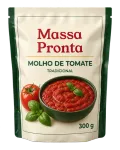
Project 0252 · Request 1 · Artwork creation
New Tomato sauce 300 g package
PN-MT-300 · Tomato sauce 300 g
- Brief
- Agency
- Approval
- Supplier
- Finished
Regulatory brief
RegulatoryNutrition labeling, ingredient list and allergens according to current legislation; 12-month shelf life.
Marketing brief
Marketing300 g glass jar with a front label in the Massa Pronta visual family and a highlight for “No preservatives”.
R&D brief
Packaging R&D120 × 80 mm paper label and metal lid with safety seal; new die cut.
Workflow files
- Brief2 files
- Agency artwork—
- Final artwork—
Deadlines and SLA
Who is late and who is about to be.
Each stage has a deadline. LinkFlow shows the overdue projects and the ones about to expire, with the current stage's owner, and automatically reminds whoever has pending items. In the indicators, the SLA per stage shows how many transitions were on time and late.
Deadlines and SLA
Overdue items and items about to expire
- 2overdue
- 2due this week
- 2on time
| Project | Current stage | Owner | Stage deadline | Situation |
|---|---|---|---|---|
| 0249Spaghetti 500 g · Label update | Agency | Agency | 09/20 | 3 days overdue |
| 0250Parmesan cheese 100 g · Label update | Brief | Regulatory | 09/22 | 1 day overdue |
| 0248Penne Rigate Carton 500 g · Preparation instructions revision | Approval | Regulatory | 09/25 | Due in 2 days |
| 0252Tomato sauce 300 g · New package | Brief | Marketing | 09/26 | Due in 3 days |
| 0241Penne Rigate Carton 1 kg · New package | Supplier | Packaging R&D | 10/02 | On time |
| 0233Penne Rigate Pouch 500 g · New package | Finished | Massa Pronta | — | Completed |
Whoever has overdue items or items about to expire receives automatic reminders. The SLA per stage appears in the indicators.
Folders and access
Each workflow folder with the right access for each user type.
The project folders follow the stages: Brief, Agency artwork and Final artwork. For each folder, your organization defines what each user type can do. In the example, the internal team sees everything, the agency receives the briefs and delivers the artwork in its folder, and the supplier only accesses the approved final artwork.
Workflow folders
ExamplePermissions by user type
| Folder | Internal team | Agency | Supplier |
|---|---|---|---|
| Brief | Views and uploads | Views | No access |
| Agency artwork | Views | Views and uploads | No access |
| Final artwork | Views and uploads | Views | Views |
Your organization defines, by user type, who views and who uploads files in each folder.
Define the workflow with your team.
The LinkFlow team helps assess the appropriate setup during implementation.
- Organization
- Bring together your existing portfolio and the references your team uses.
- Process and participants
- Define stages, owners and what will be shared with agencies and suppliers.
- Help with everyday use
- Consult the platform guides and contact the support team with questions.
To assess with your team.
Answers to align the use of workflows with your company's process.
Can I create different workflows for each type of project?
Yes. Processes can be configured for different requests, with stages, forms and owners suited to the brand's work.
Does the workflow cover both launches and changes?
Yes. Creation and change are workflow types, with their own forms and owners. The examples on this page follow a change to the Carton 500 g and the creation of the Tomato sauce 300 g.
Can I customize the forms?
Yes. Each workflow type has its form, with required fields, conditional fields and each department's brief.
How does deadline control work?
Each stage of each workflow type has a deadline. Overdue projects and those about to expire are highlighted, with the stage owner; whoever has pending items receives automatic reminders; and the indicators show the SLA per stage.
Who sees the files in each folder?
Whoever your organization defines. Folder permissions are by user type: internal team, agency and supplier view and upload files according to each folder's configuration.
Is approval purchased separately?
No. Workflows and artwork approval are part of the same LinkFlow platform, together with the organization of the packaging portfolio.
See LinkFlow applied to your brand's process.
See the portfolio, the workflows and the approvals working together in a demo.